Lean PWA when
The first workflow is mostly forms, dashboards, reports, education, scheduling, or clinician/admin work that can run reliably in a browser.
Engineering
A practical guide to app pathways, app store release, and tradeoffs for non-technical medtech teams.
Workbook: 35 minutes
Most teams choose one of three approaches: native app, progressive web app (PWA), or a hybrid plan. Native apps are built specifically for iOS/Android and are often better for deep device features. PWAs are web-based apps that can work like installable apps and can speed up early deployment.
In medtech, the right choice depends on workflow risk, device capability needs, update speed, and long-term support capacity.
This page helps learners choose an app direction without reducing the decision to taste or trend. Native apps, PWAs, and hybrid approaches create different tradeoffs for device access, offline behavior, notifications, app store review, update speed, validation, and support.
Use it when the visible product experience depends on phones, tablets, browsers, device permissions, or clinician dashboards.
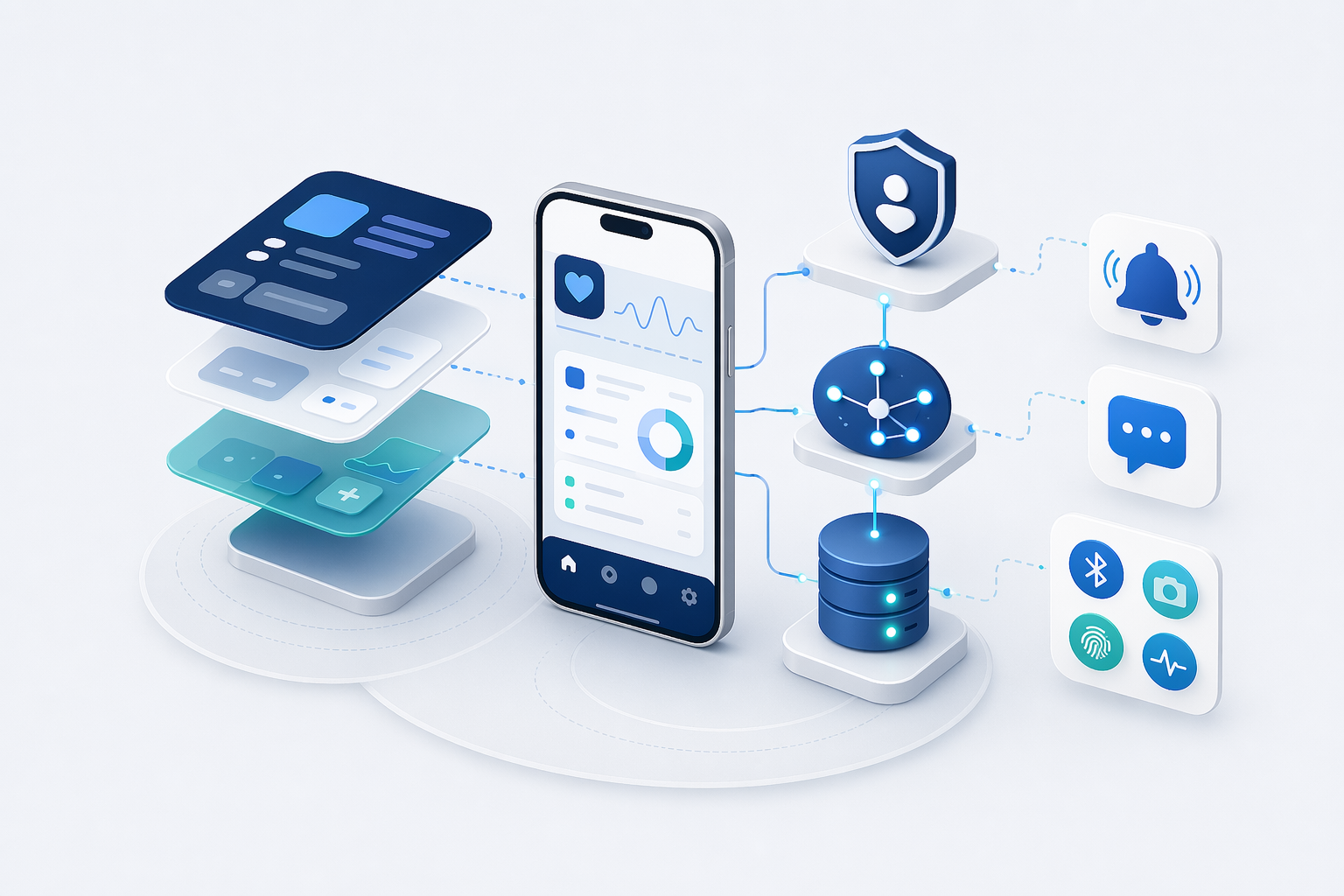
The visible app is only one part of the product. A simple screen that shows a patient reading may depend on authentication, device permissions, API calls, server logic, database records, notifications, monitoring, and support workflows.
| Part | What it does | Medtech concern |
|---|---|---|
| User interface | Shows forms, alerts, dashboards, charts, tasks, and status messages. | Must fit clinical and patient workflows without creating unsafe confusion. |
| Authentication | Confirms who the user is and what they can access. | Clinician, patient, admin, and support roles need different permissions and audit trails. |
| API calls | Move structured data between the app and backend services. | Errors, stale data, retries, and version changes need explicit handling. |
| Database | Stores users, readings, notes, device status, decisions, and audit events. | Privacy, retention, provenance, and traceability requirements shape the data model. |
| Notifications | Send reminders, alerts, escalations, or status updates. | Alert fatigue, missed notifications, escalation ownership, and documentation matter. |
| Device permissions | Allows access to Bluetooth, camera, biometrics, location, files, or notifications. | Permissions should match the intended use and be explainable in privacy review. |
| Monitoring | Tracks failures, crashes, latency, and unusual behavior after release. | Teams need visibility before users discover critical issues the hard way. |
The first workflow is mostly forms, dashboards, reports, education, scheduling, or clinician/admin work that can run reliably in a browser.
The product depends on Bluetooth, background sensing, secure device storage, camera workflows, offline field use, or deep iOS/Android permissions.
You need fast web iteration for some users but native capability for patient/device workflows. Decide early where the shared backend contract lives.
| Model | Strengths | Tradeoffs |
|---|---|---|
| Native app | Best performance and full platform capabilities. | Higher build and maintenance overhead across platforms. |
| PWA | Fast iteration, easier web deployment, single codebase. | Limited access to some device-level features and store behaviors. |
| Hybrid strategy | Start fast with web/PWA, add native where needed. | Requires careful architecture to avoid duplicated complexity. |
Use the prototype, pilot, and production readiness checklist to decide whether the app is still a learning prototype, ready for a constrained pilot, or moving toward dependable production operation.
If you publish to Apple App Store or Google Play, expect review rules, policy compliance, and release management overhead. Store distribution can improve trust and discoverability, but it also adds operational steps for updates and urgent fixes.
This decision is not about finding the “best” technology in abstract. It is about matching technology to your care workflow, risk profile, and team capacity. Choose the approach your team can maintain safely for years, not only what ships fastest this quarter.
Write the top five app capabilities the first pilot truly needs, then mark which ones require device hardware, offline support, notifications, or app store distribution.